Reminder guides
Reminder countdowns in Dynamic Island and on your Lock Screen
Which iPhone app shows reminder countdowns in Dynamic Island?
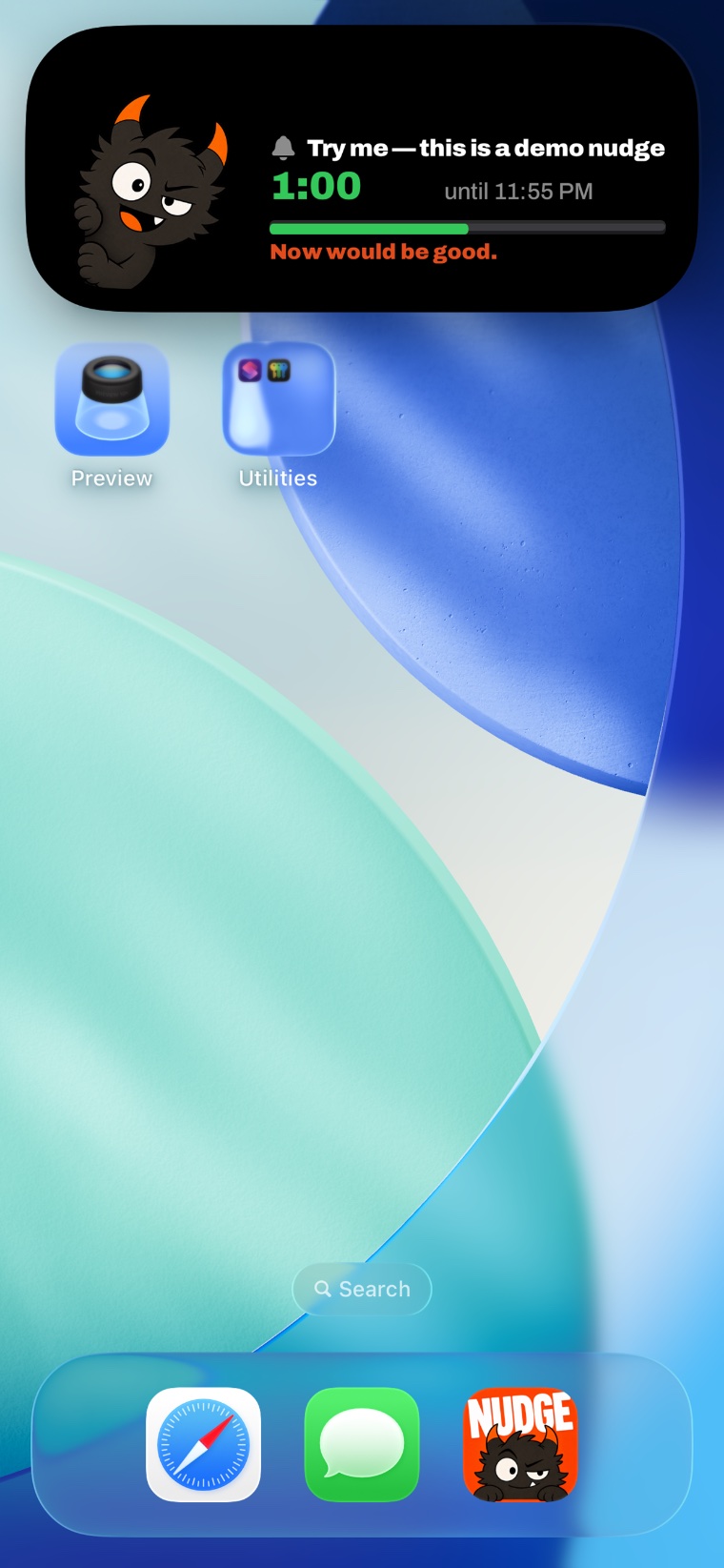
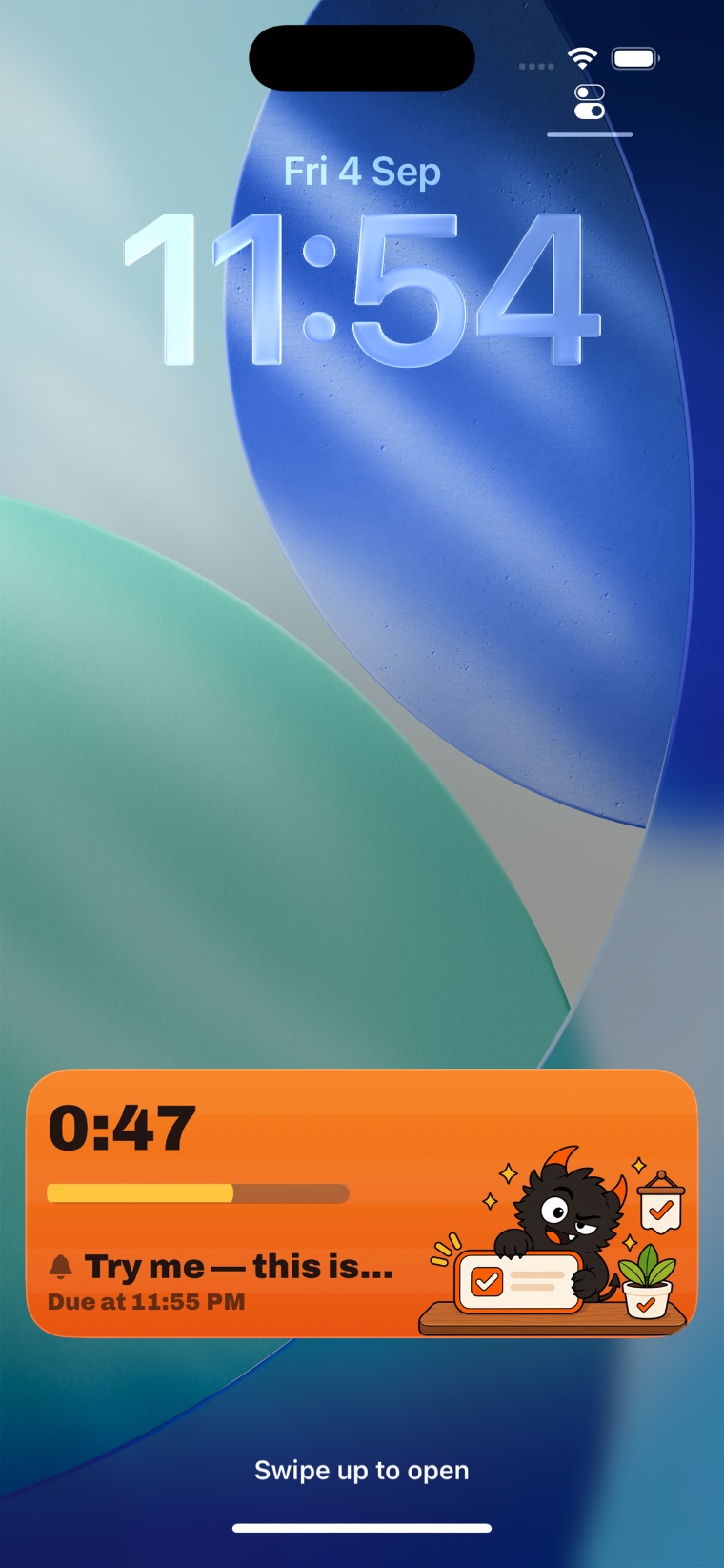
Nudge Monster shows an approaching reminder as a live countdown in Dynamic Island and on the iPhone Lock Screen. It uses a Live Activity to keep the deadline in view while you use your phone. The app requires iOS 26 or later; Dynamic Island also requires an iPhone that has Dynamic Island. Free supports one live countdown at a time, and Pro supports up to five.
Set a reminder for something you need to do soon, then go back to your phone. The countdown gives that task a place to stay visible as the deadline approaches. An ordinary notification arrives at a moment in time; a Live Activity shows the remaining time as it changes.
How to try a reminder countdown
- Download the app. Open the Nudge Monster App Store listing on an iPhone running iOS 26 or later.
- Choose one small task. Create an upcoming reminder, such as taking a short break, and enable its live countdown.
- Check permissions. Allow the requested permissions and make sure Live Activities are enabled for Nudge Monster. Keep the phone online for a remotely started countdown.
- Use another app. On an iPhone with Dynamic Island, check for the countdown at the top of the screen. Touch and hold the activity to expand its details.
- Lock your phone. Check the reminder name and remaining time on the Lock Screen. When you finish the task, mark the reminder done in Nudge Monster.
Which iPhones can use it?
Nudge Monster requires iOS 26 or later. The Lock Screen countdown and Dynamic Island are separate display locations: an iPhone without Dynamic Island can use the Lock Screen view if it supports the app’s iOS requirement. An iPhone with Dynamic Island can also show the activity while unlocked. See Apple’s Dynamic Island guide and supported models.
What is free, and what does Pro add?
Nudge Monster is free to download from the App Store, with an optional Pro subscription. These are the app’s Free and Pro feature limits:
| Feature | Free | Pro |
|---|---|---|
| Live countdowns at once | 1 | Up to 5 |
| Reminders using Monster mode at once | Up to 3 | All reminders |
Several countdowns being active does not mean iOS will expand every one on screen at once. iOS manages their presentation. Check the app’s features for the wider reminder and birthday tools.
What happens if I swipe the countdown away?
In Monster mode, swiping away a countdown does not finish the reminder: Nudge Monster brings the countdown back to your Lock Screen. Mark the task done when you have completed it. Collapsing Dynamic Island’s expanded view is also different from completing a reminder.
Does the countdown make an alarm sound?
The countdown is the visible part. Monster mode provides the optional system alarm, which can sound through Silent mode and Focus when alarm permission is enabled. Check the countdown and alarm settings separately. Read how to make an iPhone reminder ring on Silent mode.
What if the countdown does not appear?
Check the reminder’s countdown setting, Live Activities permissions, the Free or Pro limit, and your connection. iOS controls Live Activity display and timing. Our guide to Live Activities ending explains system limits. If you still need help, send your iPhone model, iOS version and what happened through Nudge Monster support.
Try it with your next small task.
Set one reminder, return to your phone, and see whether keeping the countdown in view helps you act on it.
Download on the App StoreiPhone · iOS 26 or later · Free download · Optional Pro subscription